Symptom
You can’t view an Office document from the document page.
Resolution
Verify that Open Bee™ Scan OCS is installed
Verify that Open Bee Scan OCS is installed and that Open Bee Portal is properly configured to work with Open Bee™™™ Scan OCS.
Verify that the “Open Bee™ Scan OCS” service is working
In a browser, type “http://IP:8080” (with IP the IP address to access Open Bee™ Scan OCS)
An authentication request should be displayed. If this is not the case, open the Windows Service Manager, and restart the service.
If the service does not restart, delete the RUNNING_PID file located in the “bin” folder of the Open Bee™ Scan OCS installation directory and restart the service.
When MS Office is installed on the same server as Open Bee™ Scan OCS
If MS Office is installed on the same server as Open Bee™ Scan OCS:
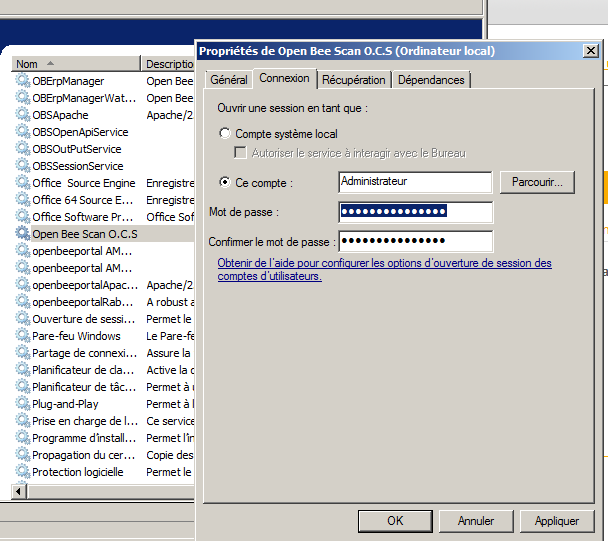
- Open Windows Service Manager,
- edit the properties of the “Open Bee™ Scan OCS” service,
- in the “Login” tab, change the user of the service and enter a Windows administrator account,
- Restart the service.