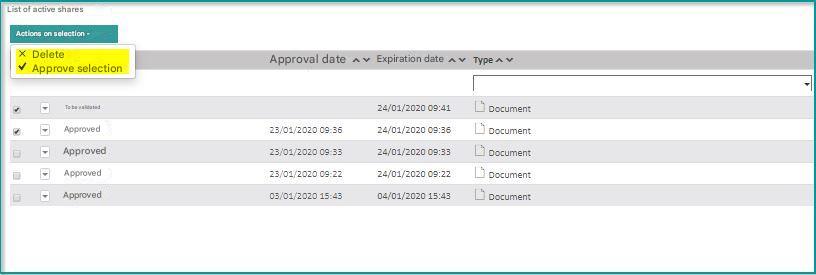
Open Bee™ Portal allows you to share documents to external contacts by sharing a link to a document (see the dedicated part in the User Guide).
To access the sharing administration.
Click on “Administration“/“Sharing”
By checking the option “Wait for an administrator’s approval before making the sharing of a document or folder effective”: allows you to submit all shares made in Open Bee™ Portal to an administrator’s validation.

Sharing
In the Administration section you will find two sections “Sharing” and “Automatic Sharing
“
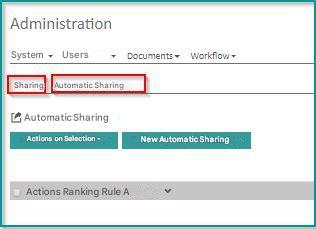
The ” Sharing” section of the administration allows you to view shared documents and set up a share
You can also find the history of all shared documents.
Click on “Administration” “Sharing”
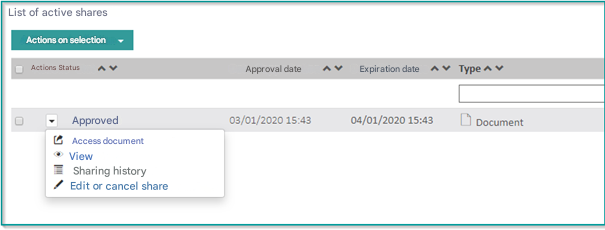
The share list allows administrators to perform the following actions:
By clicking on  you can:
- Access the document
- View all shares (active or not) in the system
- View sharing history
- Edit or unshare (the details of a share)
The “Selection Action” option allows you to:
- Bulk approve shares awaiting approval
- Bulk delete shares (active or not)