Aliases are not a feature in their own right. It is a tool for dynamically associating a document with a user in a workflow based on metadata values.
An alias could be thought of as a shortcut to a user: it allows strings to be matched to a user.
The administrator associates aliases with users.
These aliases are then used in workflows to dynamically associate tasks with users based on a document’s metadata.
See the “Dynamic Actors” section of a workflow’s task creation page.
To manage aliases, click on “Administration” “Alias Management“.
Add an alias
By default, no aliases are created.
Click on the “Add Alias” button
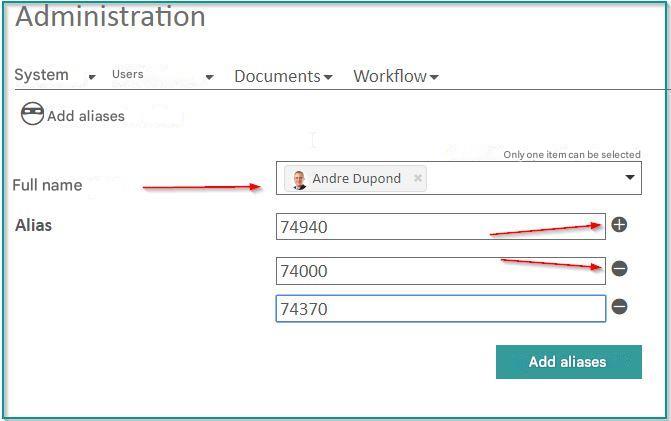
After selecting a user, enter one or more aliases for that user.
Use the “” and “”
 buttons to remove and add alias fields to the form.
The created aliases will then appear in the list of aliases.
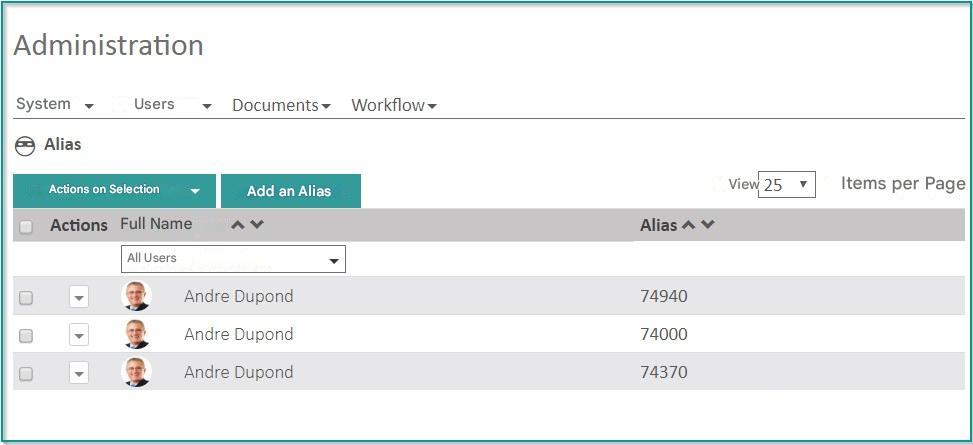
Delete aliases
To delete one or more aliases, check the corresponding boxes and choose “Delete Selected” from the menu.