The data is encrypted using the HTTPS protocol (SSL or TLS). The encryption algorithms and the size of the encryption key vary depending on the client software used.
The HTTPS protocol works in such a way that when the connection is initialized, the client and server agree on the use of an encryption algorithm that they both support.
Here are some examples of encryption systems used by some customers. This data may vary depending on the specific configurations of your machines/software.
| Customers | Encryption |
|---|---|
| Open Bee Scan, Doc Office Manager, ERP Manager, Open Bee™™ Sync – Windows 8 | TLS_RSA_WITH_AES_128_CBC_SHA |
| Internet Explorer 11 – Windows 7 | TLS_RSA_WITH_AES_128_CBC_SHA |
| Firefox 27.0.1 – Windows 7 | TLS_ECDHE_ECDSA_WITH_AES_128_GCM_SHA256 |
| Chrome 33 – Windows 7 | TLS_ECDHE_ECDSA_WITH_AES_128_GCM_SHA256 |
| Safari 6.1 – OSX 10.8.5 | TLS_RSA_WITH_AES_128_CBC_SHA |
| Open Bee™ Mobile – Android 4.4.2 | TLS_RSA_WITH_RC4_128_MD5 |
| Open Bee™ Mobile – iOS 7 | TLS_RSA_WITH_AES_128_CBC_SHA |
For a list of algorithms sent by a web browser: https://cc.dcsec.uni-hannover.de
To change the order of algorithms in Firefox: https://support.mozilla.org/fr/questions/976999
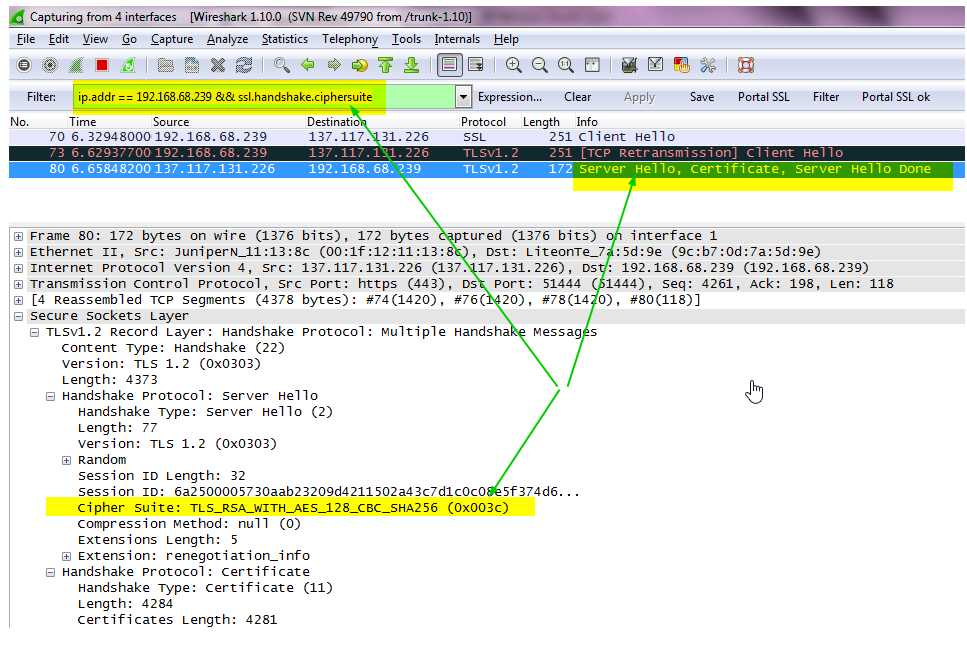
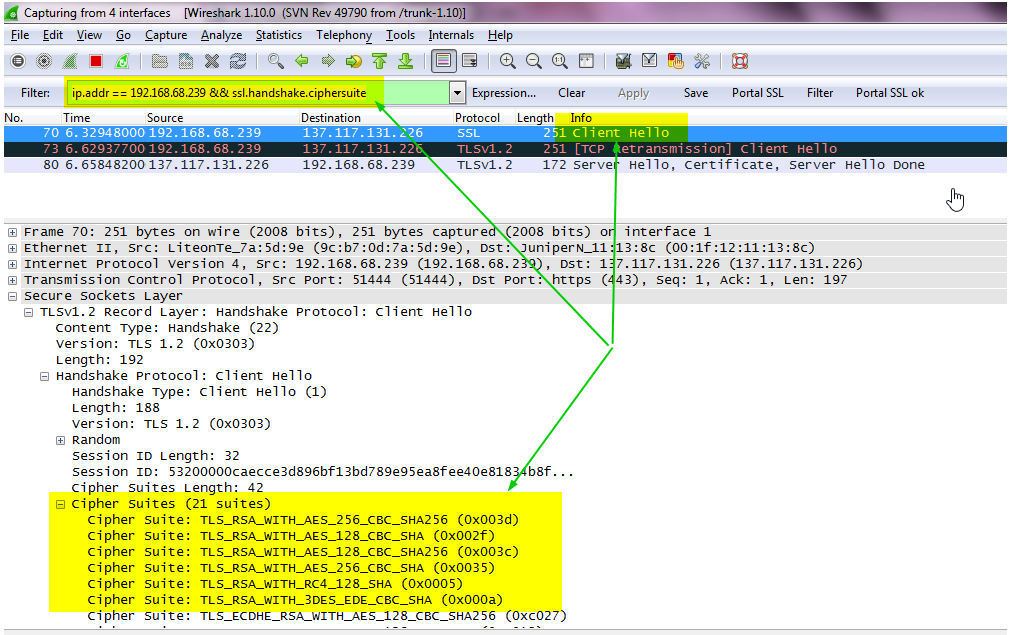
To determine the encryption system from network frames using WireShark:
Sends algorithms available by the client:
Choice of algorithm by the server: