An extranet allows you to make documents available to users outside your organization.
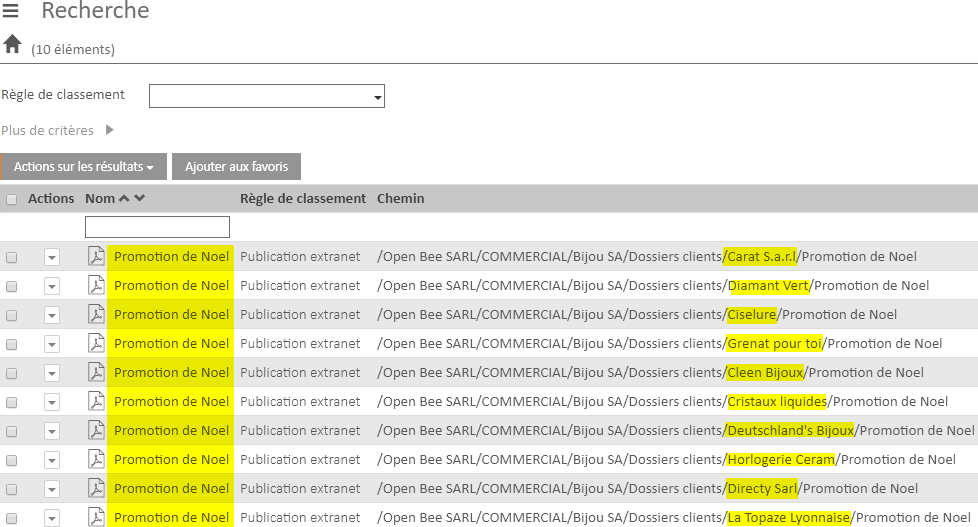
This article describes how to publish a single document to some or all of the users of an extranet. The process consists of filing a document, which will be duplicated in all the folders of the extranet by Open Bee™ Portal.
Administration
Create a Dedicated Ranking Rule for Publishing: Administration > Ranking Rule Add a Ranking > Rule
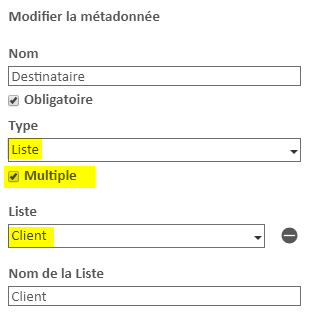
Give it a name (‘Extranet publication‘ for example) and create at least two metadata:
- Document Name: Type Text
- Recipients: List, with Multiple enabled. Select here the same list as in the filing rule that creates your extranet folders (usually the list of your customers or employees)
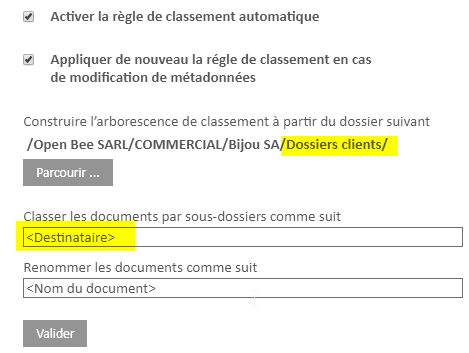
Then configure the filing rule to deposit the documents in the folders of your extranet, according to the “Recipient” metadata.
In the example below, “Customer Records” is the root of our extranet.
Usage
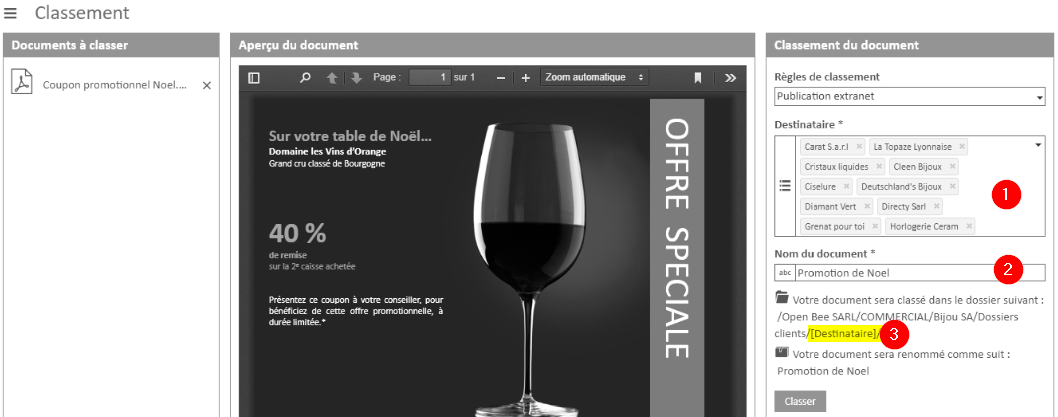
From the web interface, classify a document with the “Extranet Publishing” rule.
- Choose the recipients (customers, employees, etc.) to whom you want to send the document.
- Naming the document
- The classification rule takes into account that the “Recipients” metadata is multiple. It will publish a copy of the document in each folder on the extranet.
- Classify
The document is now available in the folders of all recipients, they will be notified by email of the addition of a document in their spaces.