This feature allows you to edit an Office document located in the Open Bee™ Portal, directly from the web browser.
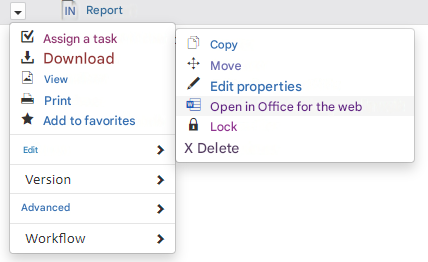
After enabling the use of the Office Online Editor in the general configuration, for supported Office documents, a new option will be available in the “Open in Office for the web” context menu
This feature requires a Microsoft Enterprise (Office 365) account with a license to insert changes into Office Online.
That’s why, when you first use this feature, you’re asked to sign in with an Office 365 account.
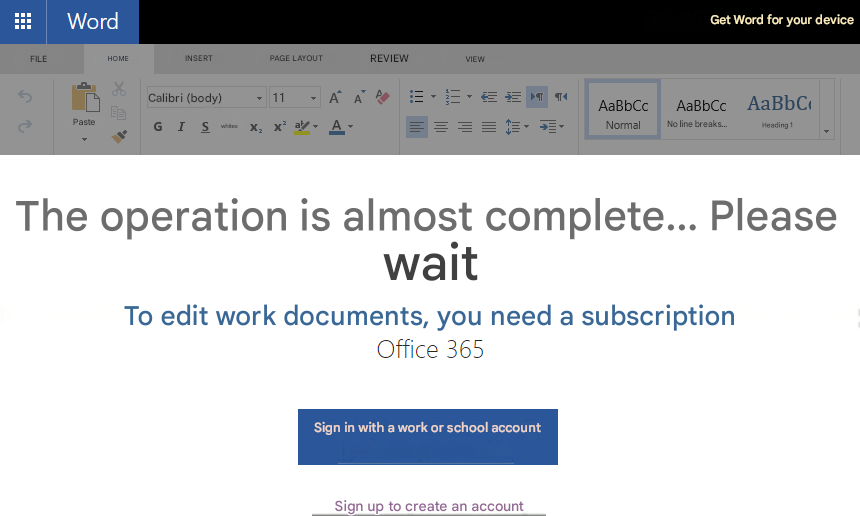
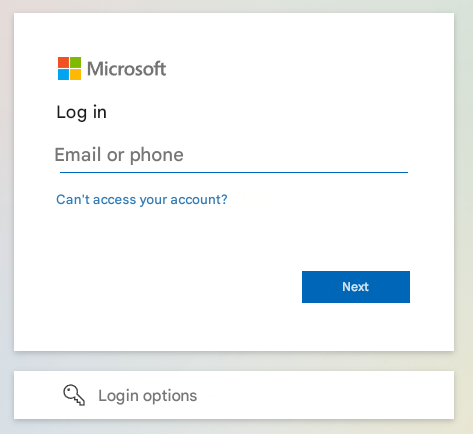
After clicking “Sign in with a work or school account,” a page will open to enter their Office 365 login information
Then, the previously selected document is opened for editing.
Saving changes via Office Online
From the online Office editor, changes are saved automatically.
A status at the top left of the editor allows you to display the status of the recording (In Progress Recording or Saved).


Recording Time
Even if the status of the document in the online Office Editor is “Saved”, it is possible that the changes in Open Bee™ Portal are only visible after a few minutes.
Real-time collaboration (Office Online)
The Office Online Editor brings a new feature: real-time collaboration.
This editor allows multiple users to edit the same Office document at the same time.
By editing the document at the same time, all users will see each other’s changes in real time with a colored slider associated with each user.
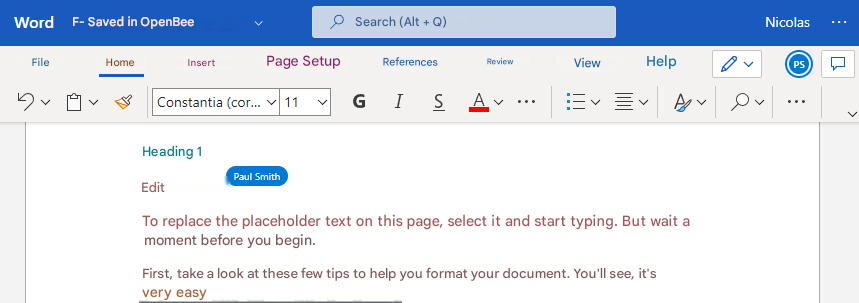
Example: Users Nicolas and Paul Smith collaborate on the same document. In this illustration, Nicolas sees Paul Smith’s changes in real time.
Remark
Real-time collaboration works with xlsx, docx, and pptx documents.
When a document is edited by multiple people at the same time, only one version is created.
All the people who contributed to the drafting of the document are visible at the version level
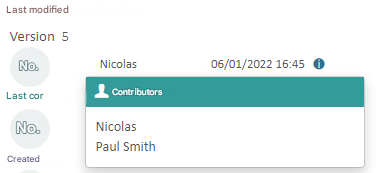
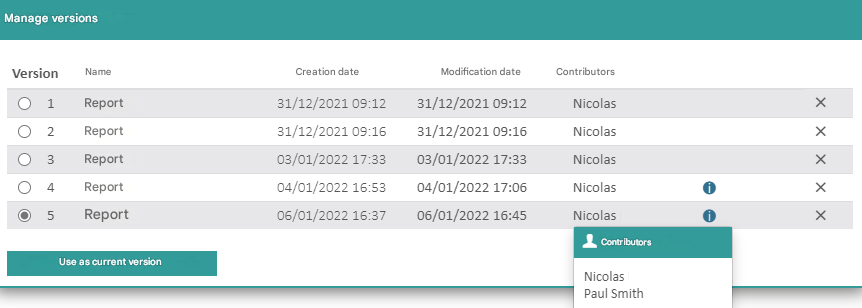
Supported file types
| File Type | O365 Visualization | Edition O365 |
|---|---|---|
| Microsoft Excel (.csv, .xls) | X | |
| Microsoft Excel (.xlsx, .xlsm, .xlsb, .ods) | X | X |
| Microsoft Word (.doc, .dot, .dotm, .dotx, .rtf) | X | |
| Microsoft Word (.docx, .docm, .odt) | X | X |
| Microsoft Powerpoint (.pot, .potm, .potx, .pps, .ppsm, .ppsx, .ppt, .pptm) | X | |
| Microsoft Powerpoint (.pptx, .ppsx, .odp) | X | X |
Supported File Sizes
The file sizes supported for reading and writing are described on this page.
Troubleshooting
When editing a document with Office Online, a new window opens with the Office Online editor.
Depending on the configuration of the web browser, the page may remain blank with many redirects.
To avoid this problem, you need to make sure that third-party cookies are not blocked in the web browser settings or add an exception for the Open Bee™ Portal instance
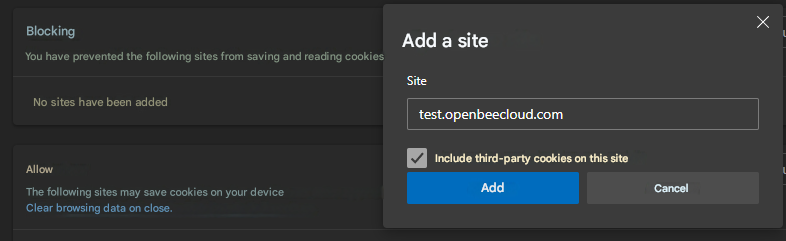
Exception for test.openbeecloud.com instance