List of Workflows
Click on the “Workflow Workflow List” menu.
At any given time, the workflow supervisor can have an accurate view of the number of documents in the validation circuit and at which stages they are:
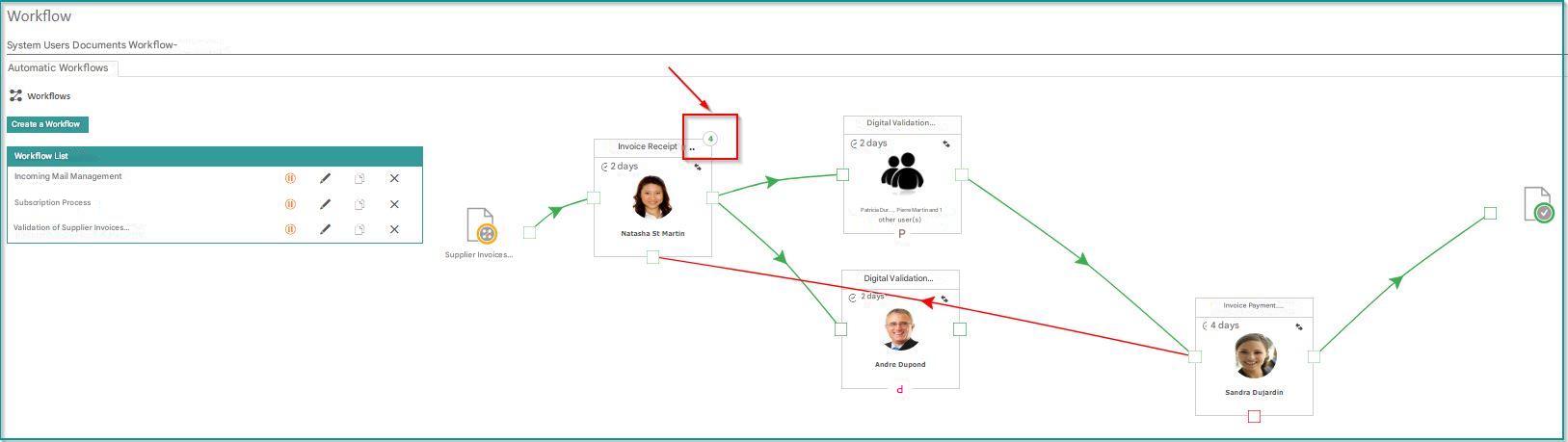
A simple click on the tooltip (green or red) gives it a precise status:
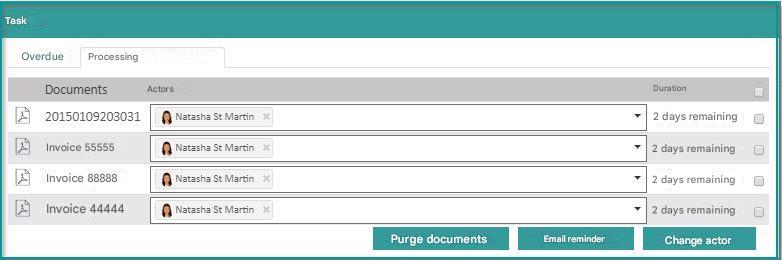
From this screen, they can perform the following maintenance operations:

- Changing Actors :
 You must first change the actor in the “Actor” column, for the change to be effective.
 - Purge selection : Documents will exit the workflow with a “Declined” status.
- Follow-up by email: the actors of the selected tasks will receive a reminder by email
Task List
Click on the “Tasks” menu.
This same information about a workflow is available in the “Task List” view:
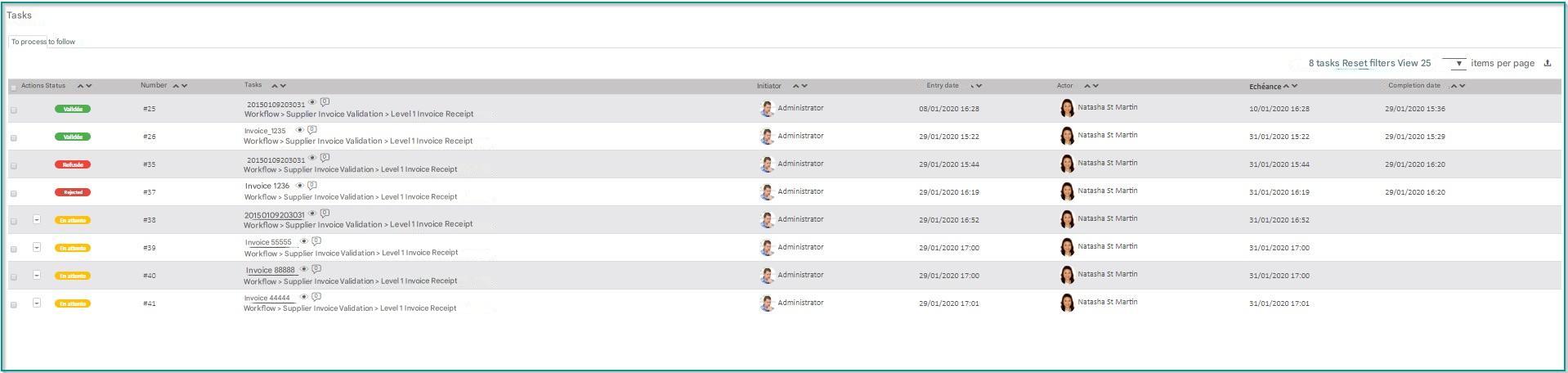
From this screen, a supervisor can perform the following maintenance operations:
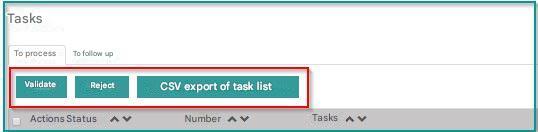
The “Validate ” and “Decline” buttons allow you to process tasks in batches.
Only tasks assigned to the logged-in user can be processed.
The “Export CSV Task List” button allows you to export the task list in CSV format:
- Changing Actors : You must first change the actor in the “Actor” column, for the change to be effective.
- Purge selection : Documents will exit the workflow with a “Declined” status.
- Follow-up by email: the actors of the selected tasks will receive a reminder by email