Operation
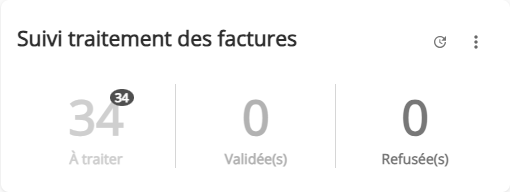
This widget displays the number of tasks that have been approved, declined, or processed over a period of time, for the specified workflow and task.
In the “To be processed” section, two numbers appear. The number written in red indicates the number of tasks to be processed that have passed their due date (“Overdue” tasks).
If a task is assigned to a user group, it only counts as one task.
Click on the widget to access the list of corresponding tasks.
Configuration
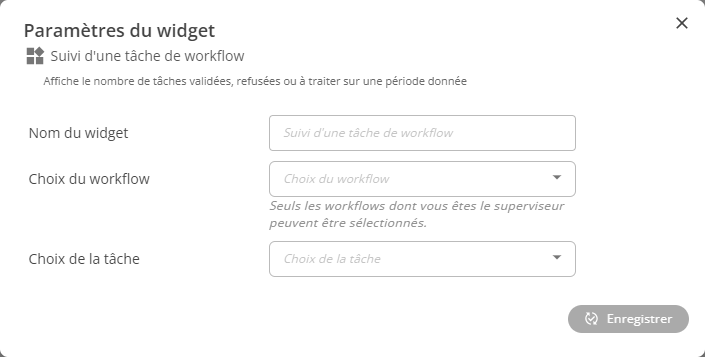
Configuring this widget requires you to choose two things:
- The workflow you want to monitor a task for
- The workflow task you want to monitor.
Please note that only workflows for which you are a supervisor will be selectable here.
Restrictions
This widget has no restrictions on its use.