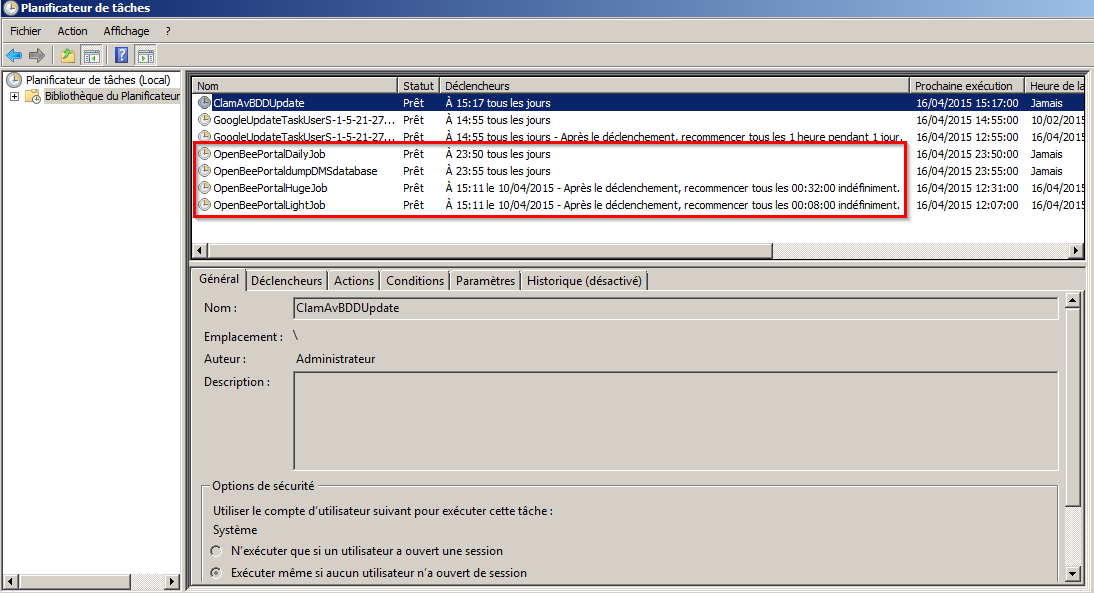
Open Bee™ Portal uses a scheduled task to trigger reminders on folders and documents.
By default, this task is logged in the operating system with a running frequency of 15 minutes.
This means that a maximum of 15 minutes can elapse between the set date of a reminder and the notification being sent to the user.
This 15-minute “delay” time can be reduced by changing the frequency of the scheduled task.
This can impair the triggering of callbacks if not done correctly.
Open Bee declines all responsibility in the event of mishandling of scheduled tasks that would result in an Open Bee™™ Portal malfunction.
Sous Debian
crontab -e
Edit the periodicity of the following task:
*/15 * * * * /usr/bin/php /var/www/openbeeportal/symfony reminder
Please refer to the Debian CRON documentation for more details.
On Windows
Open the Scheduled Task Management utility.
Change the recurrence of the Open Bee™ PortalReminder task.
Please refer to the documentation for your version of Windows for more details.
List of scheduled tasks in Windows XP