You can perform a SQL query with a column in a table as a trigger. In this case, the query will populate one or more columns of the same table.
In the SQL query block, you must first call the array metadata, then the metadata corresponding to the column that will trigger the query.
The 2 metadata should be entered as follows: <Table><colonne_qui_déclenche_la_requête>.
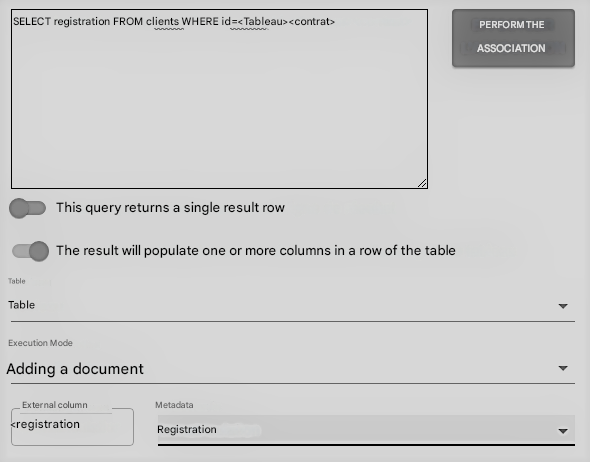
After entering the query, click Perform Association, then select The result will populate one or more columns in a row of the table to move the cursor to the right.
In the Table section, you can choose the metadata for the table. Thus, you will be able to choose the columns of the table to be associated in the correspondence area between the external columns reported by the Select of the SQL query and the metadata.