From the “Administration” interface, “Ranking rules“.
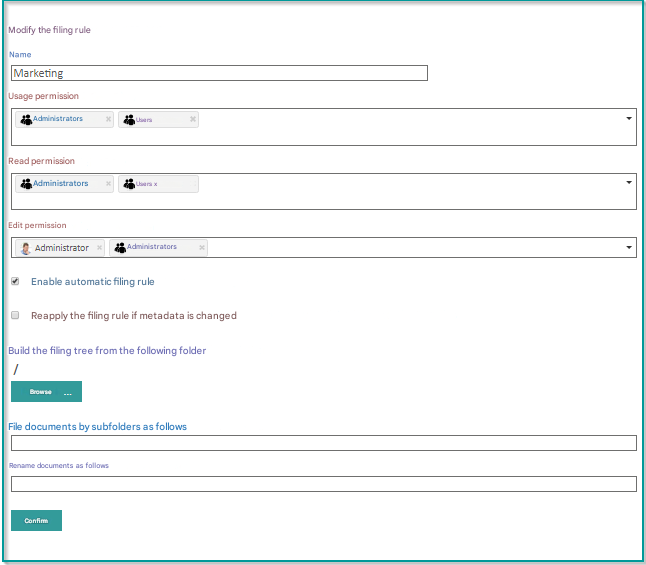
Select the ranking rule you want to edit.
Permissions
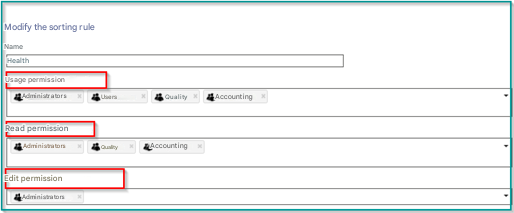
There are three types of permissions:
- Use Permission: Allows users, selected groups to classify documents with the rule
- Authorization of theecture : allows users, selected groups to perform searches for classified documents with the rule
- Modification permission: Allows selected users, groups to modify the ranking rule
Dynamic collation tree and automatic renaming
To view the different options in the dynamic collation tree and automatic renaming
Check “Enable automatic ranking rule“.
If you want to “Reapply the classification rule when metadata changes”
Check the box 
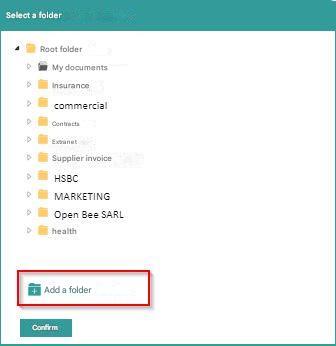
Click ” Browse ” to select the root folder for collation.
Select the filing file and click ” Validate “.
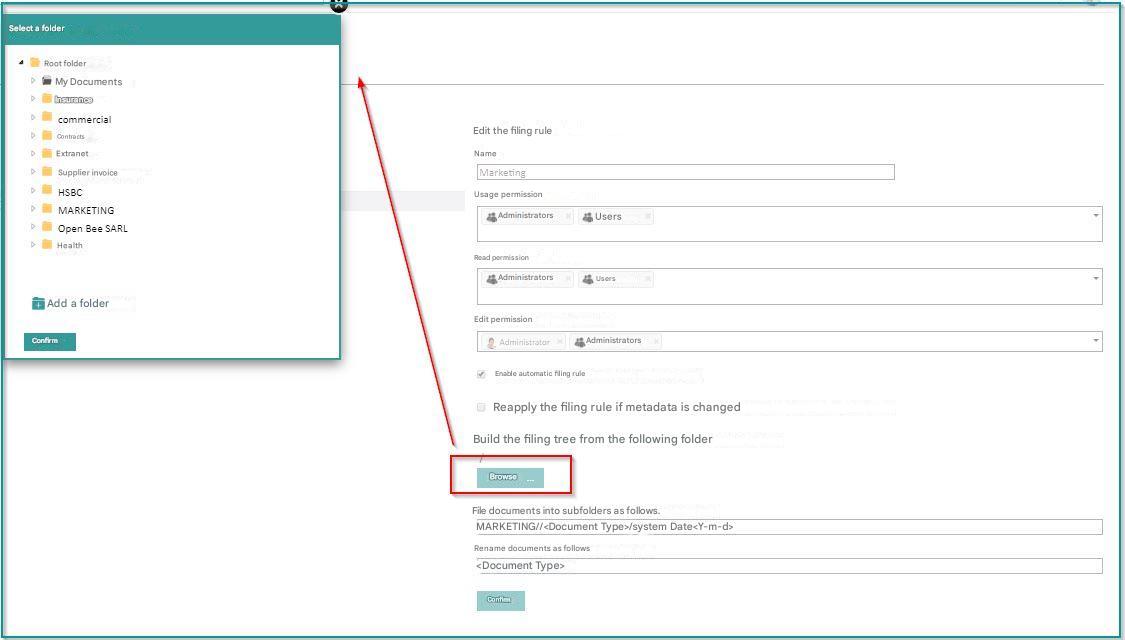
You can also add a folder directly from the “Select Folder” window
Build the dynamic classification tree and the renaming of documents using this metadata.
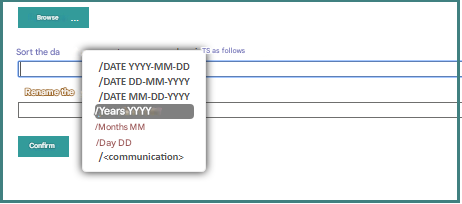
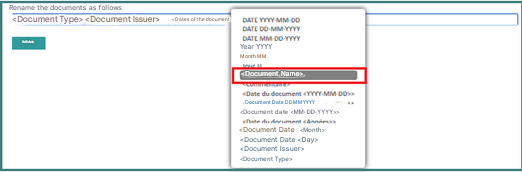
Then select the rule for renaming the documents
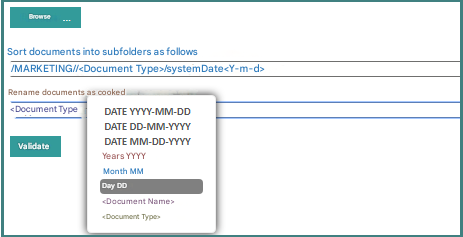
You can also rename your document by using the original name of the document in the automatic filing setting of a filing rule.
Thus, it is possible to use the other metadata of the document to define a tree structure while keeping the original name of the document.