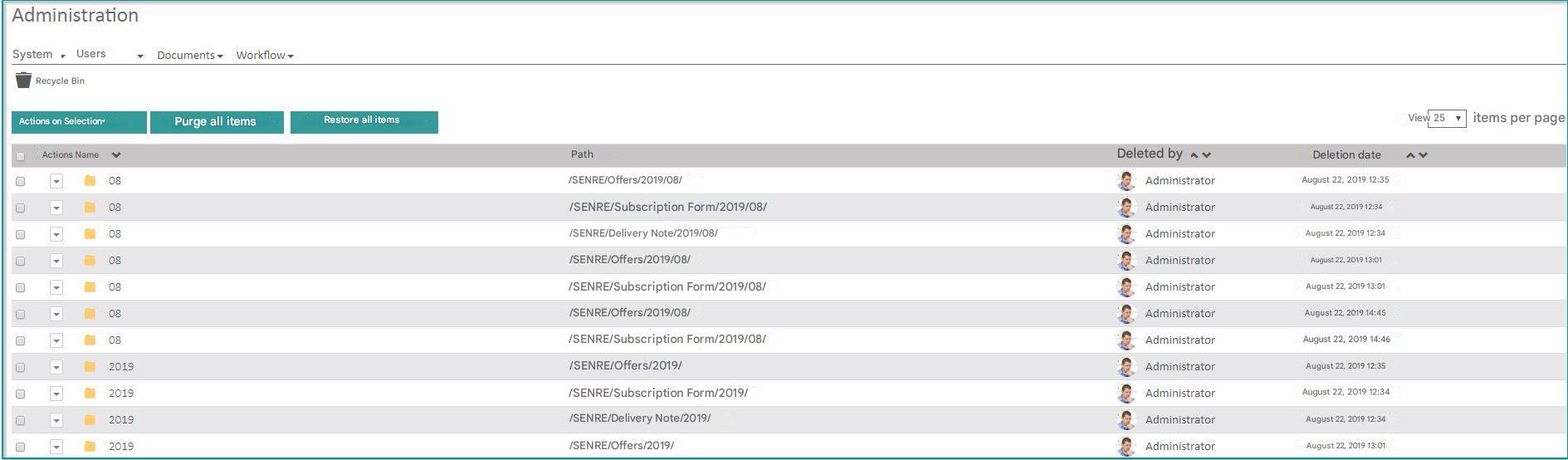
This section of the Administration section allows you to permanently delete (purge) or restore documents deleted by users.
Click on “Administration” “Trash“.
One or more documents can be deleted in Open Bee™ Portal, voluntarily or involuntarily by users with deletion rights on the folder(s) concerned.
Once deleted, a document is no longer visible to users.
“Actions on the selection“: allows either to purge (delete) the selected document(s) or to restore it(s) to their original location (it is possible to select multiple documents) by the administrator.
“Purge all documents”: allows you to purge without selection in the list of documents
“Restore All Documents“: Allows you to restore without selection in the list of documents
It is possible to view by whom and on what date the documents were deleted.