Folder completion is a function that allows you to define the expected content in a folder for it to be considered “complete”.
The administrator defines the completion rules that will then be applicable to folders by users.
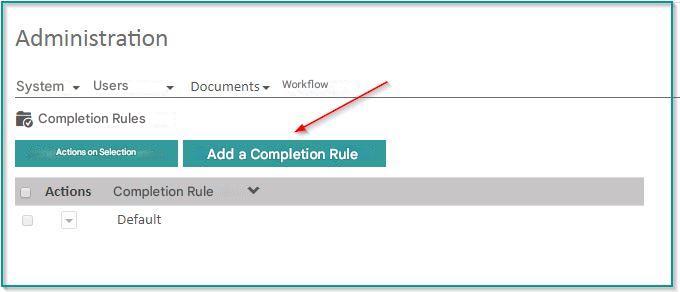
In order to manage the ranking rules, click on “Administration” “Completion rules“.
Add a completion rule
Click on “Add Completion Rule”
The creation form appears on the right side of the screen:
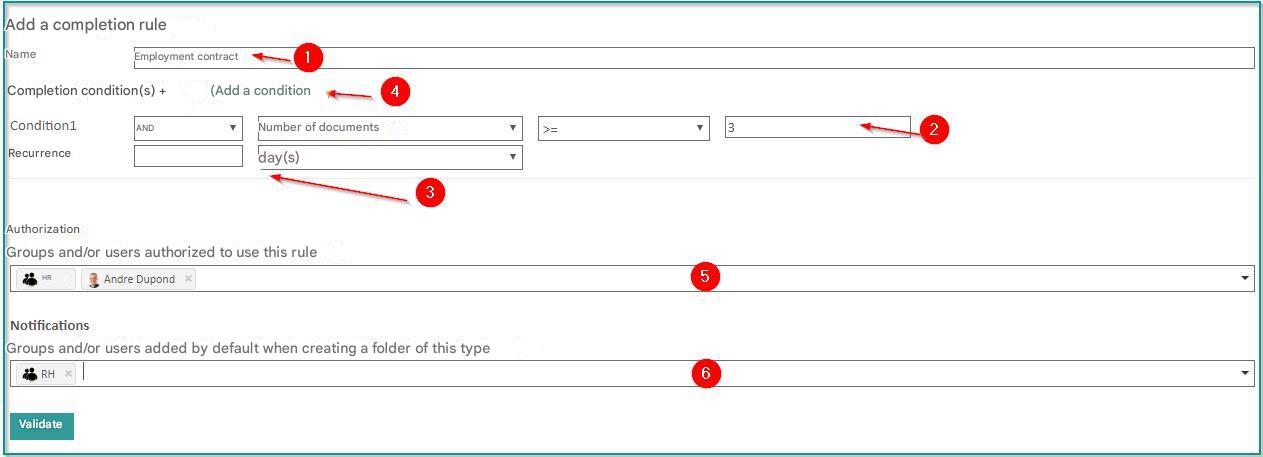
1) Add a folder completion rule: Enter the name of the completion rule
2) Condition : Choose a condition
Example
: at least 3 documents must be present for the file to be considered complete
There are different types of conditions:
- Number of documents on file
- Number of versions on a document in the folder
- Number of documents filed with a specific classification rule
- Value of metadata from a document in the folder
- Sum of metadata values for all documents in the folder
3/ Recurrence : Allows you to make a condition recurring
Example
: 3 new documents are expected each year in the file
4/ Add a condition : Allows you to apply additional conditions: it is possible to mix several conditions to obtain complex completion criteria
5/ Authorization : Choose the groups and/or users authorized to use the completion rule
6/ Notifications : Choose the groups and/or users that will be notified by default, when creating a folder associated with this completion rule. This data will be editable by the user who creates the folder
Edit a completion rule
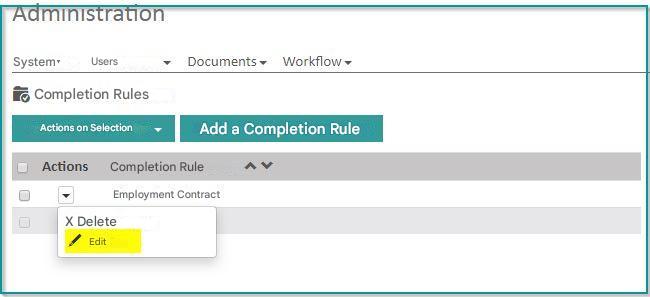
Click on the rule in the list, and a form identical to the one in the creation appears.
The change to the completion rule is retroactive and applies to all folders already created with this rule.
Delete a completion rule
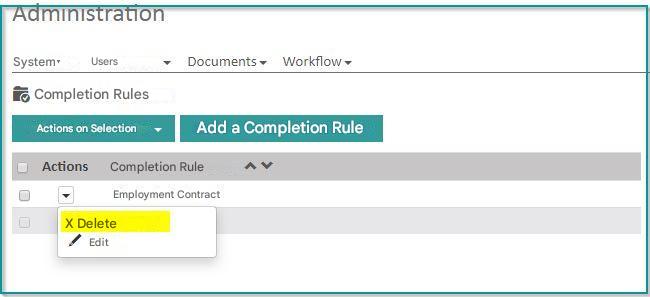
Check the box(es) next to the rule(s) you want to delete.
Choose “Delete” from the menu.
When a rule is deleted, folders previously created with that rule become standard folders again.