Open Bee™ Scan OCS is a service for extracting textual elements from documents. It is an add-on software component to Open Bee™ Portal.
This service allows:
- Text extraction ( OCR processing) of scanned and archived documents in Open Bee™ Portal, as well as their conversion into PDF/A format
- Office document conversion to allow preview in Open Bee™ Portal
- the creation of thumbnails of archived images in Open Bee™ Portal in order to allow them to be displayed in an optimized way on the web
A section of the administration allows you to set up and monitor the interactions between Open Bee Portal and Open Bee™™ Scan OCS.
Click on “Administration” “Open Bee™ Scan OCS”.
Operation
Documents archived in Open Bee Portal that require processing by Open Bee Scan OCS are automatically and asynchronously transmitted to Open Bee™™™ Scan OCS. The processing result is also fed back into the Open Bee™ Portal asynchronously and seamlessly.
Communication Settings
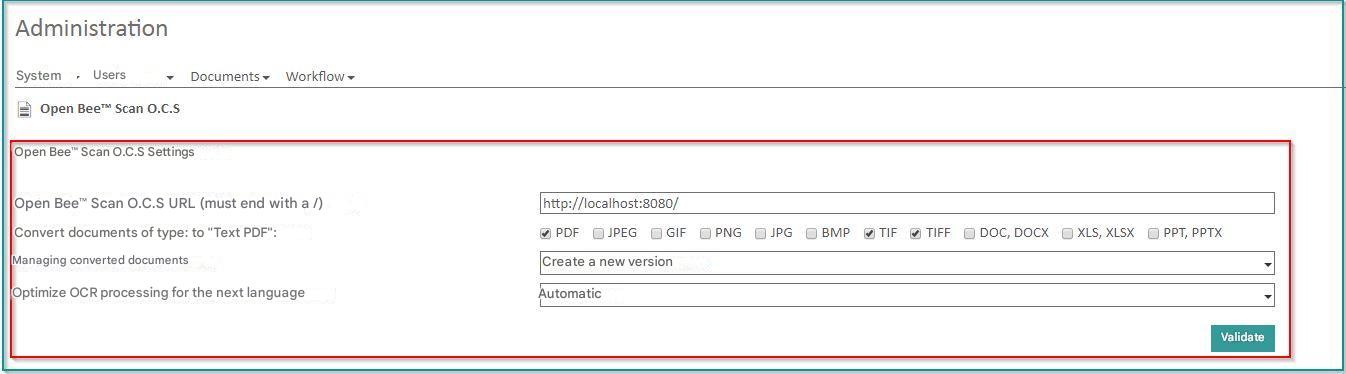
This form allows you to:
- whether or not to enable document processing by O.C.S
- configure the address of the O.C.S. service (It is pre-filled by default. In the case of a “Cloud” installation, it cannot be modified).
- choose the format of the documents (Pdf, Tiff, doc, xls, etc.) on which to apply a conversion of the document to PDF/A
- The policy for reinstating documents converted to PDF/A:
- or the replacement of the original document
- or the creation of a new version of the document
- choose the language used, this reduces the OCR processing time and optimizes the result
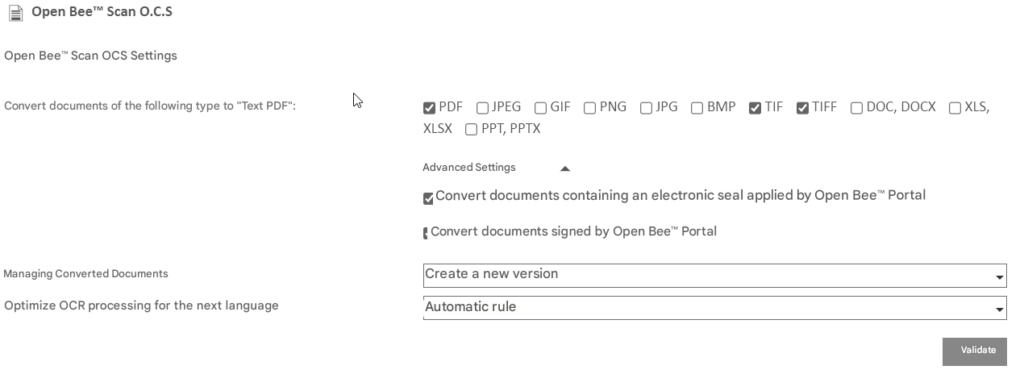
As of version 6.13.1 of the Open Bee™ Portal, it is possible not to add a new version on documents containing an electronic seal or an electronic signature if this reinstatement policy is selected. Indeed, the addition of a version will modify the original document and the stamp or signature will no longer be valid.
Please note that it is only possible to exclude documents containing a stamp or signature affixed by Open Bee™ Portal
Follow-up of exchanges

This section allows you to view documents awaiting processing by OCS.
The columns in the table are:
- Document Name : The name of the document being processed
- Version ID: The version ID of the document in Open Bee™ Portal
- Server ID: The identifier in the Open Bee™ Portal of the document. If this column is not empty, it means that the document is being processed by Open Bee™ Portal
- OCR: OCR processing status on the document if applicable
- PDF : PDF conversion status of the document if applicable
- Thumbnail : Status of creating document image thumbnails if applicable
Via the menu, the following operations are possible:
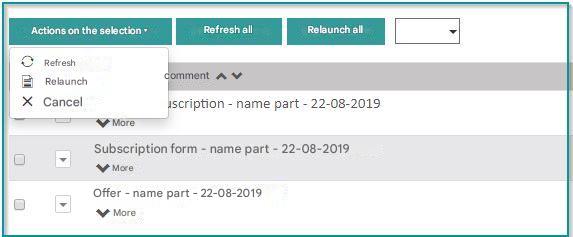
- Update the list of documents to be processed by the O. C.S
- Restart processing the selected documents. This is done automatically and performed by the system in the background.
- Cancel document processing.