The ” Add Comment ” feature allows you to create discussion threads around documents or folders.
This feature was created in order to provide a virtual space for conversation. Anyone can submit their comments and information on a document or file.
Each user can read the speeches of the other employees at any time and make their own contribution in the form of a comment.
Adding a comment allows you to create or participate in a discussion about a document/folder.
Commenting can be done by an administrator or a user (if the user has the necessary permissions).
To add a comment:
- Click on the tooltip in the “Status” column of the relevant folder or document or open the comment information panel
- Add a comment
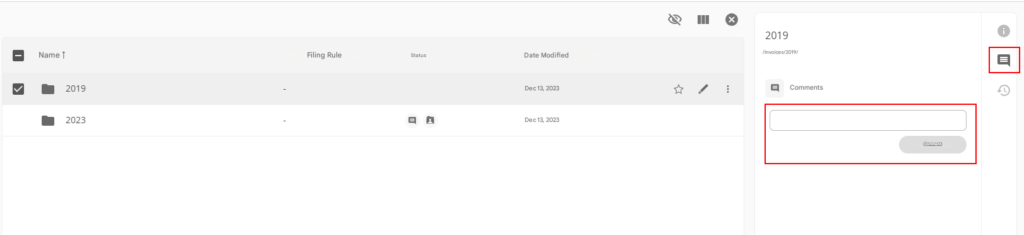
- If you want to “ Reply “, ” Edit ” or “ Delete ” your comment, click on the links at the bottom of the comment
- Once complete, the tooltip specifies the number of comments added to the document.